
Active Orders are orders to which you can add titles.
Completed Orders are “closed” and you cannot add more titles to them.
Your Active Orders list will likely be quite small, as it should only include those orders on which you’re currently working. Once finished with an order, you’ll want to mark it Completed as soon as possible. Doing so will make it impossible for you to accidentally add new titles to an old order, which can just be messy. If you accidentally do that (add titles to the wrong order) you can rectify that mistake like so.
On your Orders page, you’ll see that you can view either Active or Completed Orders (you can set a time frame to for visible activity by clicking on the calendar icon):

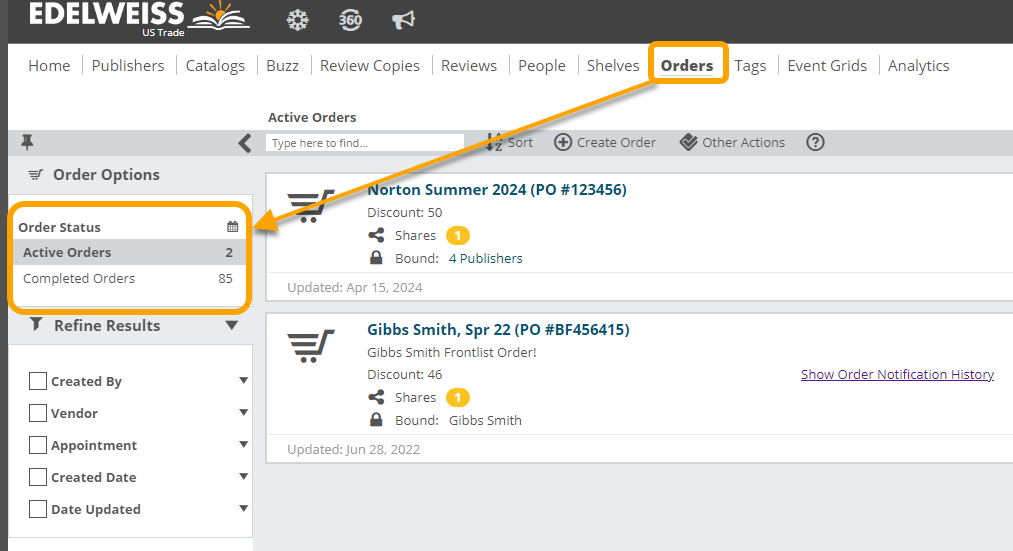
You might take a look at your Active Orders, if you’ve been using Edelweiss for a while, and make sure that all older and completed orders are marked Completed.
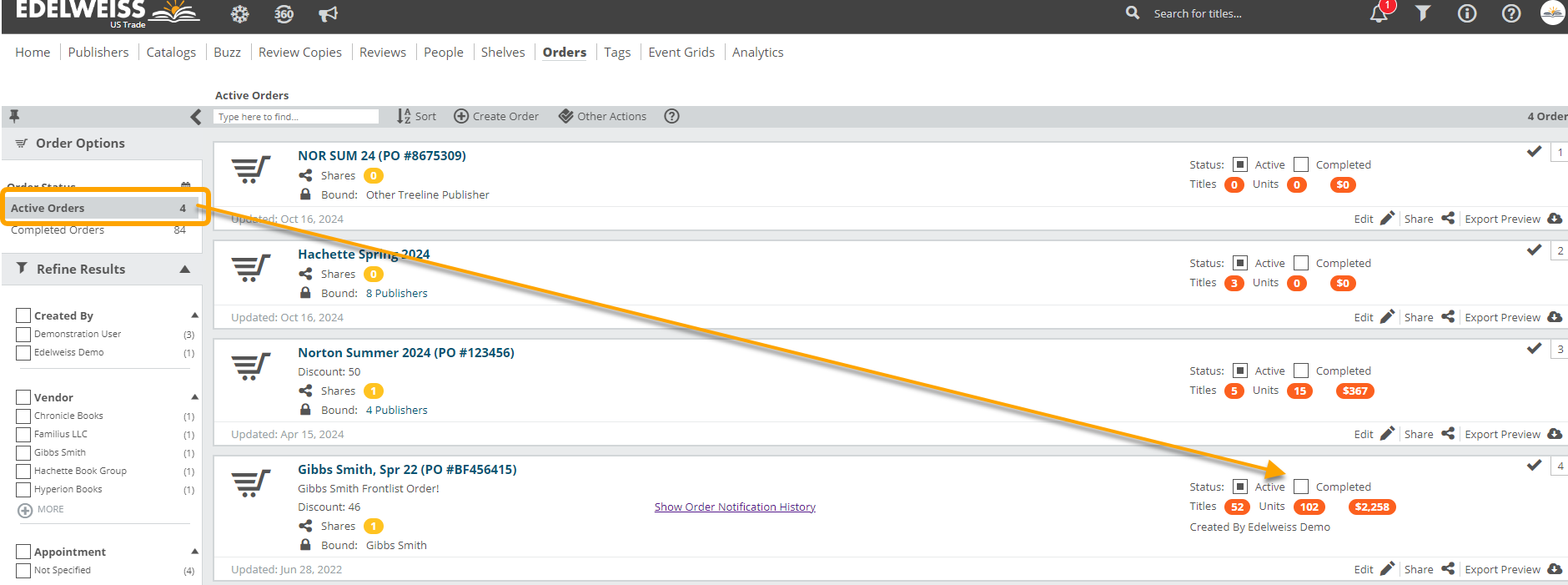
We often see accounts that have years of orders still marked as active, which just tends to create a bit of a mess. These folks have to wade through dozens (or hundreds) of orders to find the one order they’re currently working on.
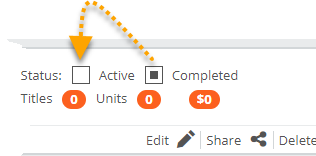
There’s generally no reason to delete a legitimate order from Edelweiss, as you can simply mark it Completed and we’ll store it for your reference. If you create an order by accident and wish to delete it, you’ll need to first mark it Completed, and then hit the delete icon:


To re-activate a Completed order so you can add titles to it, simply mark it Active:
You can also mark multiple orders Completed. Either use the checkmarks to the right of each order to select the ones you want, or click Other Actions at the top of your page then Select All > Export:
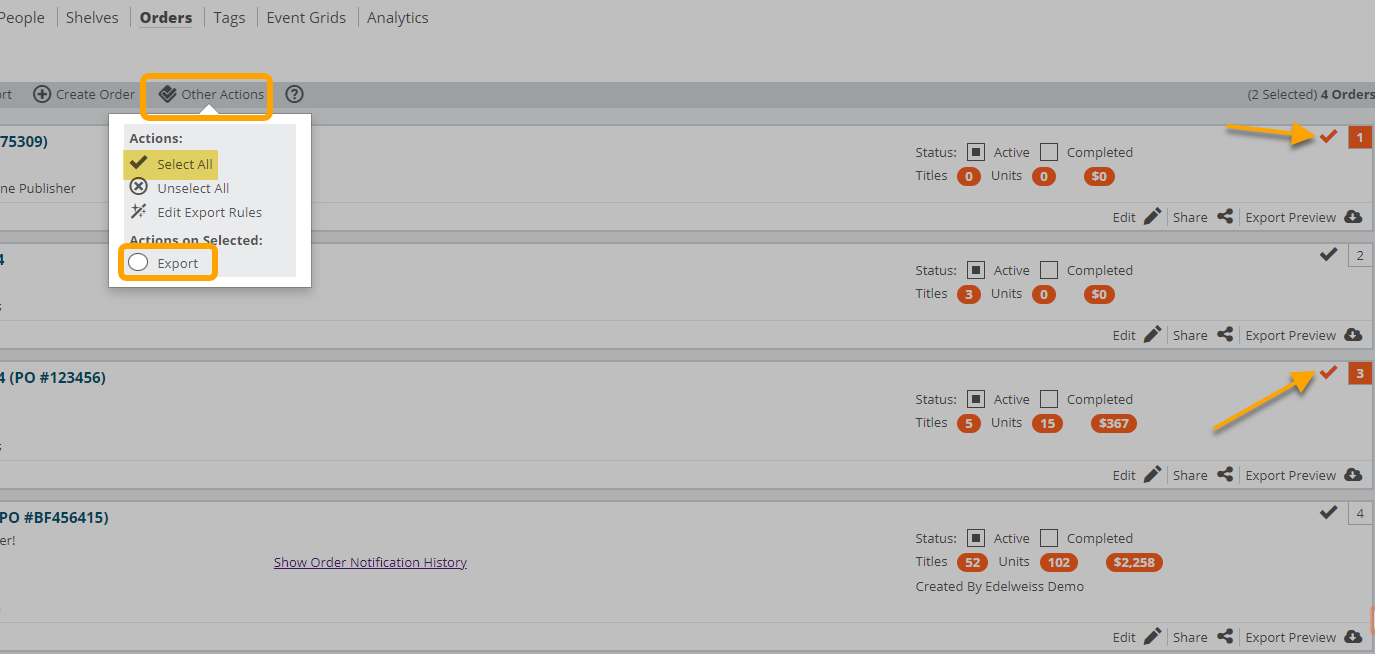
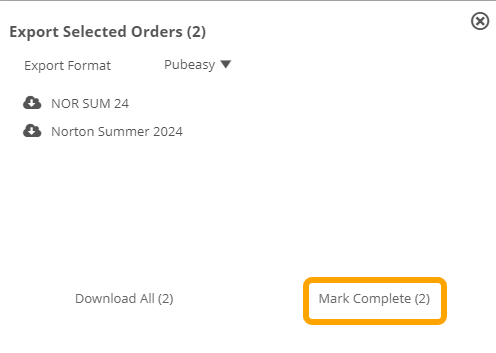
From the pop-up, you’ll see the options to download all selected orders, change export format, or Mark Complete all selected orders:
Easy!